Three Shapes of a SaaS Dashboard
Category
Design
Date
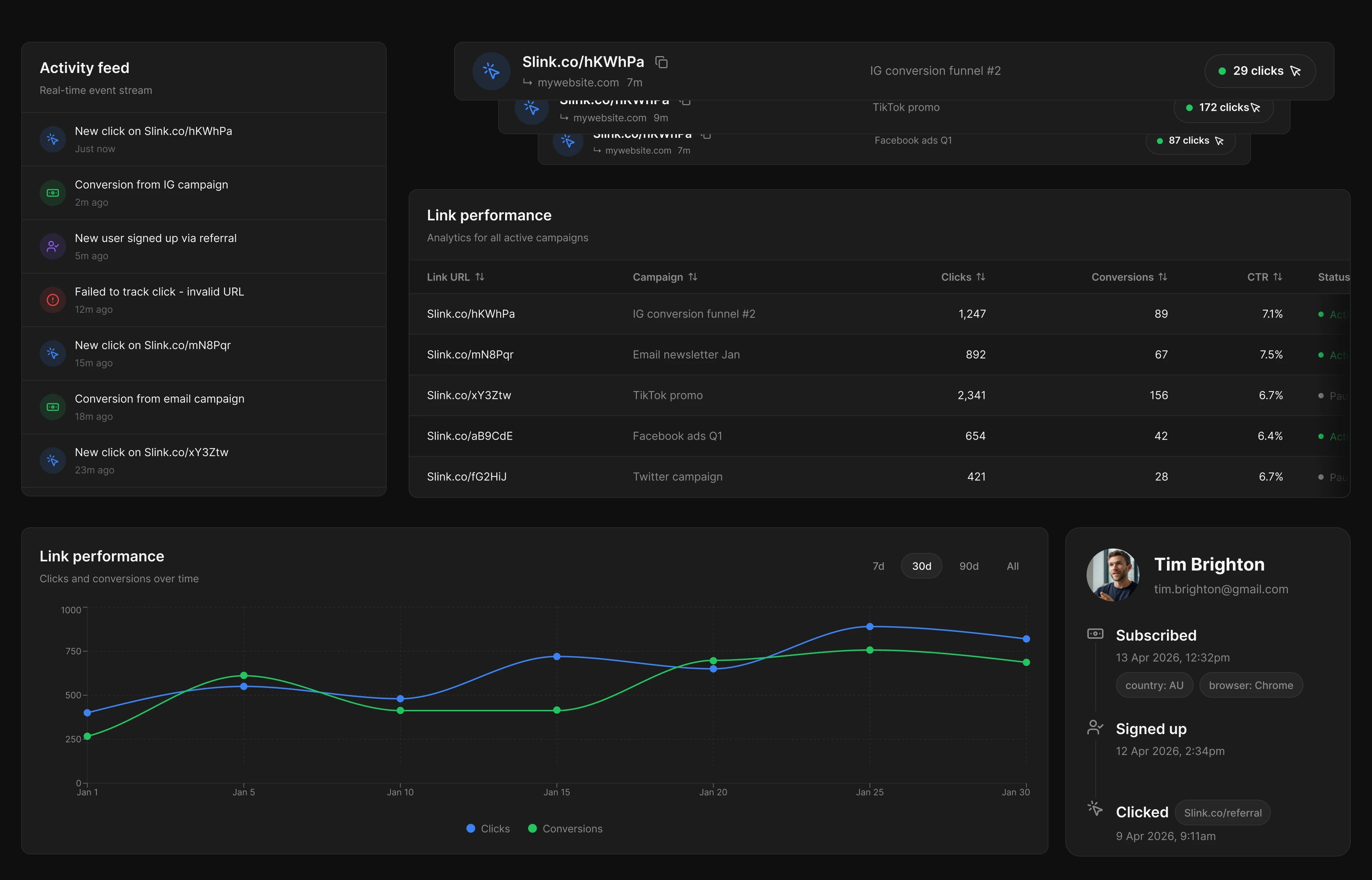
I spent an afternoon looking at SaaS dashboards on Mobbin - workspace homes, admin consoles, project summaries. Sixteen apps, thirty-something screens. June, Mixpanel, Jira, ClickUp, Amplitude, Whop, Lovable, Steep, the usual suspects. The kind of page you land on when you log in for the first time on a Monday.
I went in expecting to come out with a checklist. Sidebar widths. Card paddings. The "right" number of KPIs. Instead I left with a clearer answer to a question that comes up every time someone designs one of these:
What is this page actually for?
Because every dashboard answers that question whether the designer thought about it or not. The strong ones answer it deliberately, and the weak ones answer it by accident.
Here's what I found.
The shell is mostly solved
Almost every dashboard in the sample uses a left sidebar + content area. About 80% of them. They split into two camps:
A wide labelled sidebar (200-240px) when the IA itself is part of the work - Mixpanel, ClickUp, Wrike, Steep. The top of the sidebar carries primary nav; the bottom is "Pinned" or "Favourites" or "Your Boards." This is what makes a tool feel like a workspace and not a page.
A narrow icon rail (56-72px) when the dashboard wants the canvas - Whop, Outseta, Jobber. More room for content; nav learned by hover.
A small minority use a top horizontal bar (Jira, HoneyBook). Works fine when there are 6-8 top-level sections, not more.
In the topbar: search (almost always ⌘K), notifications, help, avatar. On the left side of the topbar in the heavier apps: breadcrumbs. Mixpanel's B2B/SaaS / Main Dashboard is the cleanest version - the highest-signal element for "the user is deep inside something."
None of this is the interesting part. It's solved.
What is interesting: the three shapes
The dashboards in the sample sort cleanly into three archetypes. Each one is a different answer to "what is this page for?"
Action-first. The first row below the greeting is quick actions - "New contact, New project, New invoice" on HoneyBook; "Start from a template, Create a chart" on Amplitude's home. KPIs are present but don't lead. This shape works when the page's job is do something.
Metrics-first. Big numbers up top, sparklines underneath, charts below. Stripe-Demo June, Whop's creator dashboard, Steep's finance home, Lovable's Nexus example. No CTAs above the fold. The user came here to check a number.
Activity-first. A prominent feed runs the full height of a right-side column. Jobber's full home, Outseta, Jira's project summary. The question being answered is what did the team just do?
The cleanest dashboards I saw committed to one of these. The weakest ones - and ClickUp's "customised dashboard" examples are an honest example - tried to do all three. A row of KPIs, a row of quick actions, an activity feed, a chart grid. Each element is fine in isolation. Together, no element gets to be the hero, and the eye has nowhere to land.
If you're staring at a Figma file right now wondering why your dashboard feels busy, this is probably it. You picked three shapes and put them on one page.
The KPI card is the workhorse, and the good ones follow a recipe
Across June, Whop, Lovable, Jira, Kajabi, and Steep, the strong KPI cards have the same four parts:
A tiny label at top-left, often with an info
ⓘfor the metric definition.A hero number, very large, set in a humanist sans. No decimal padding unless precision matters.
A delta chip immediately next to the number - coloured pill with the comparison period included. Lovable's
↗ 12.5% vs last monthis the right shape. Steep's↓ 23.8pp vs last monthis the same idea with proper percentage-point notation.A mini sparkline taking the bottom 40-50% of the card.
Cards that drop one of these fall apart. Outseta's top cards skip the sparkline and feel flat. Jira's "0 done in the last 7 days" skips the delta and reads as a tally - fine for that context, but the number alone doesn't tell you whether 0 is good or bad.
Steep's variant is the most thoughtful in the sample: the sparkline x-axis labels only the last observation (the current month, highlighted at the right edge), and there's no y-axis at all. The comparison is "now vs. where we were" - exactly what a KPI card should do, and nothing more.
Colour and density are calmer than you think
The dominant treatment is light mode, white card backgrounds, generous padding, one accent colour. Mixpanel's purple, Whop's blue, Jobber's green. Multi-colour appears only when categorical data demands it - pie charts, stacked bars.
Typography is two-tier almost everywhere: a humanist sans (Inter or close), with hierarchy carried by size and weight, not colour. Headings rarely heavier than 600. Body labels at 13px with muted grey.
If your dashboard feels busy, colour and density are probably not the problem. Hierarchy is.
The thing nobody designs: zero state
This was the most consistent weakness in the sample. June's "0%" activation card. Whop's $0 / $0. Hashnode's analytics page with three rows of data. They're not broken - they're just not designed for empty. The good counter-examples are Mixpanel and Amplitude, which ship labelled demo data with explicit banners ("You are viewing a Mixpanel demo project") and one-click paths to bring in real data.
If you take one thing from looking at all of these, it's probably this: decide what your dashboard looks like with zero data, and treat that view as a first-class design. Most of the apps in the sample didn't.
So: pick a shape
The next time you open a dashboard Figma file, the first question isn't "what charts go on it."
It's "what is this page for?"
Pick a shape - action, metrics, or activity. Build everything else in service of it. Decide what zero data looks like. Use one accent colour. Carry hierarchy with size and weight.
Most of the work is in the picking. The rest is just craft.